

1.前往Github下载插件:点击此处
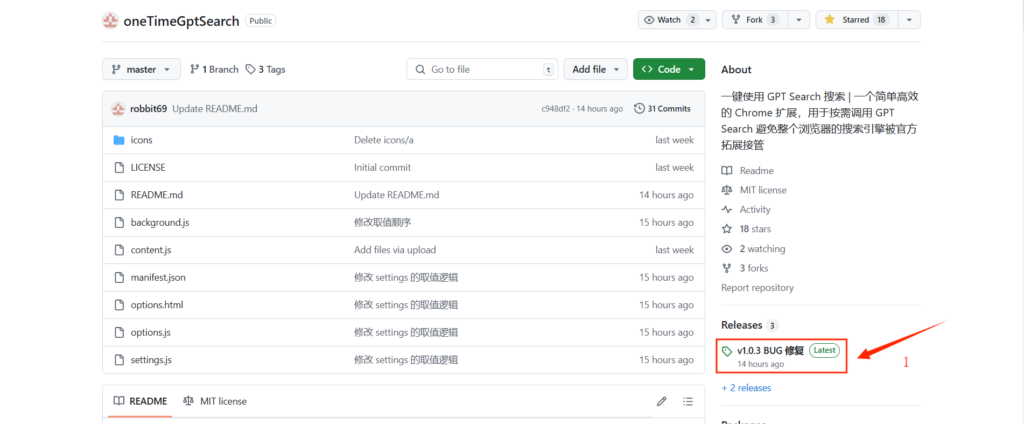
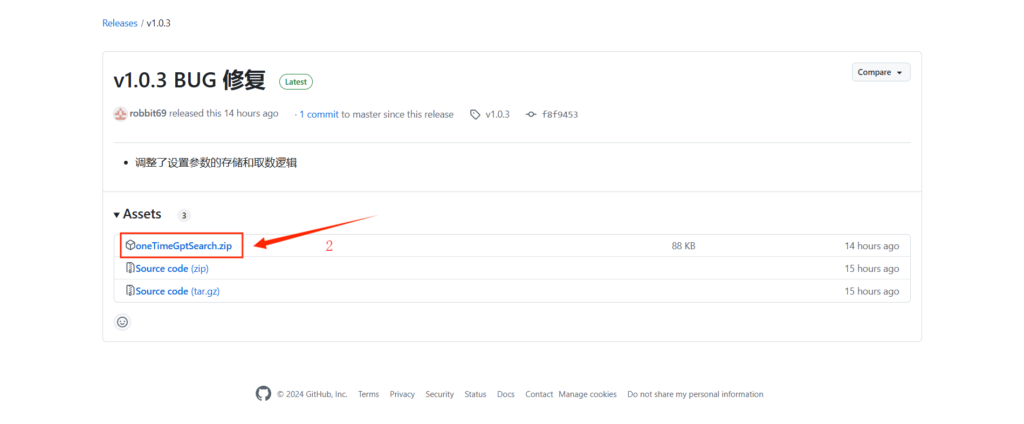
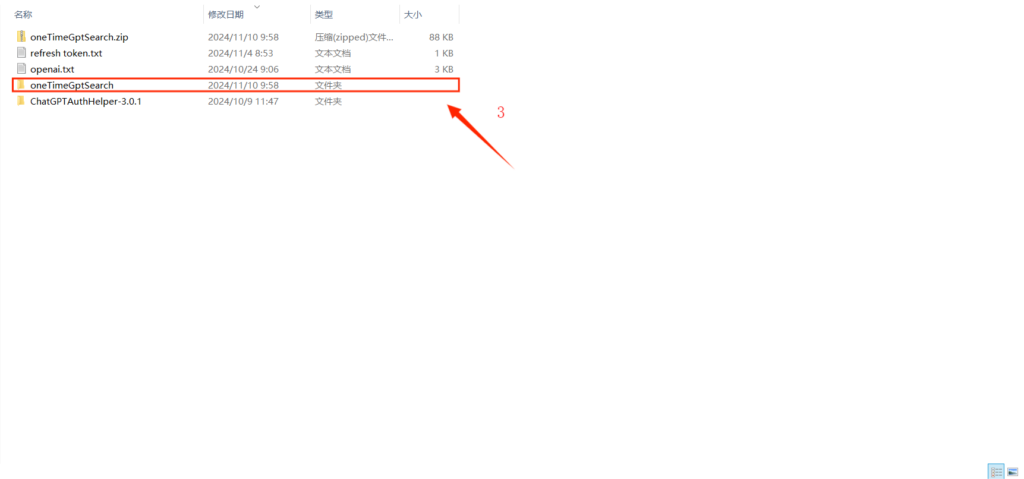
2.解压插件。
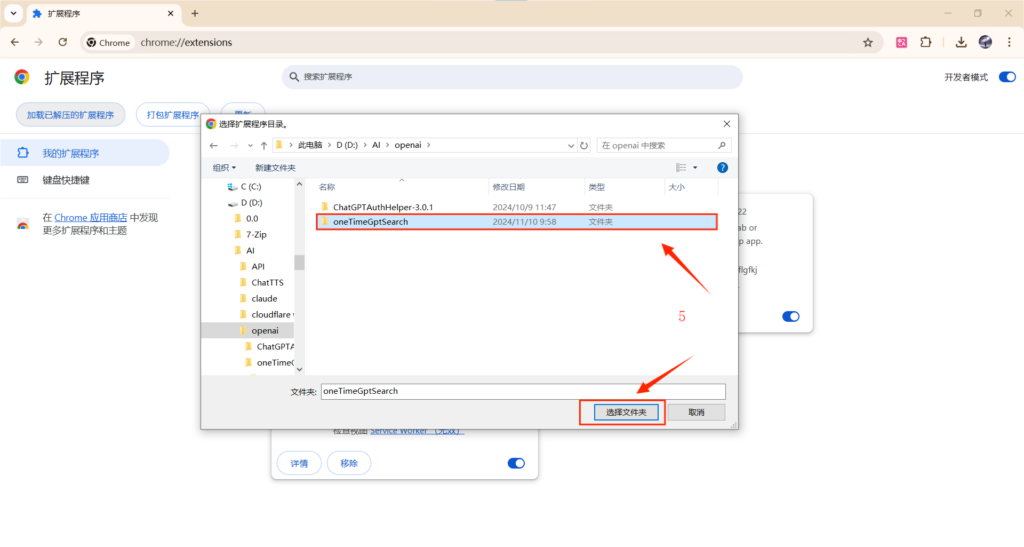
3.Chrome链接栏输入 chrome://extensions/ –> 打开开发者模式–> 点击加载已解压的拓展程序。
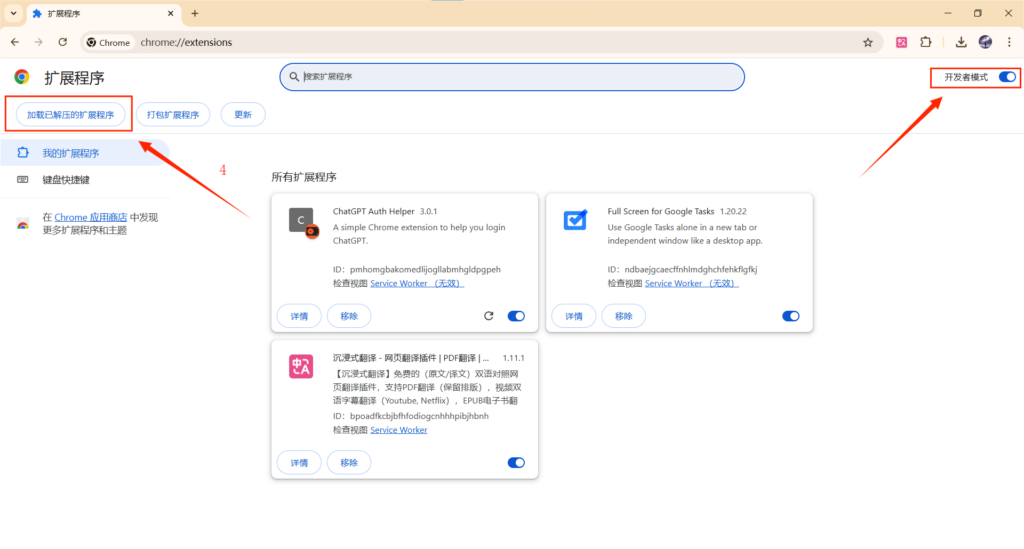
4.找到本地解压的oneTimeGptSearch插件文件夹,并加载。
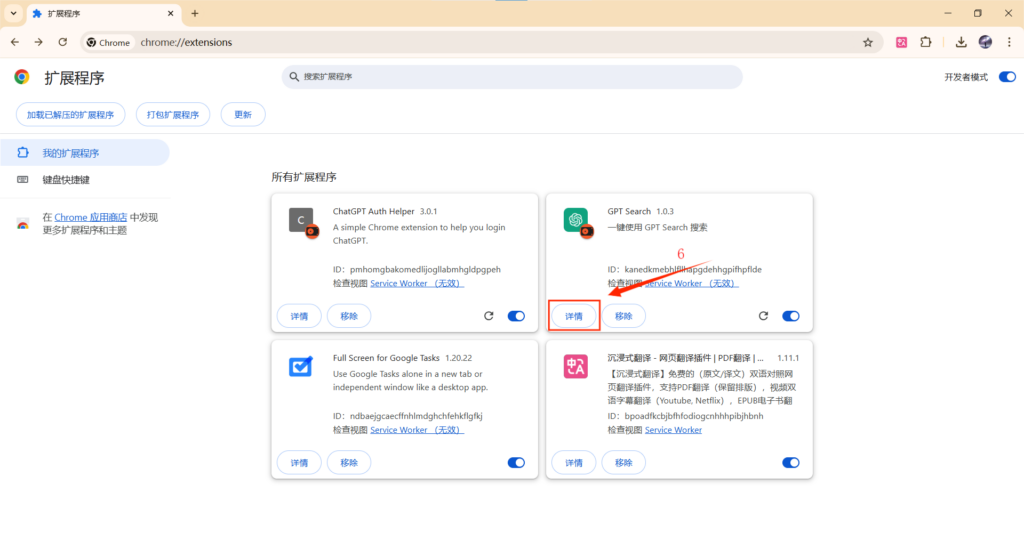
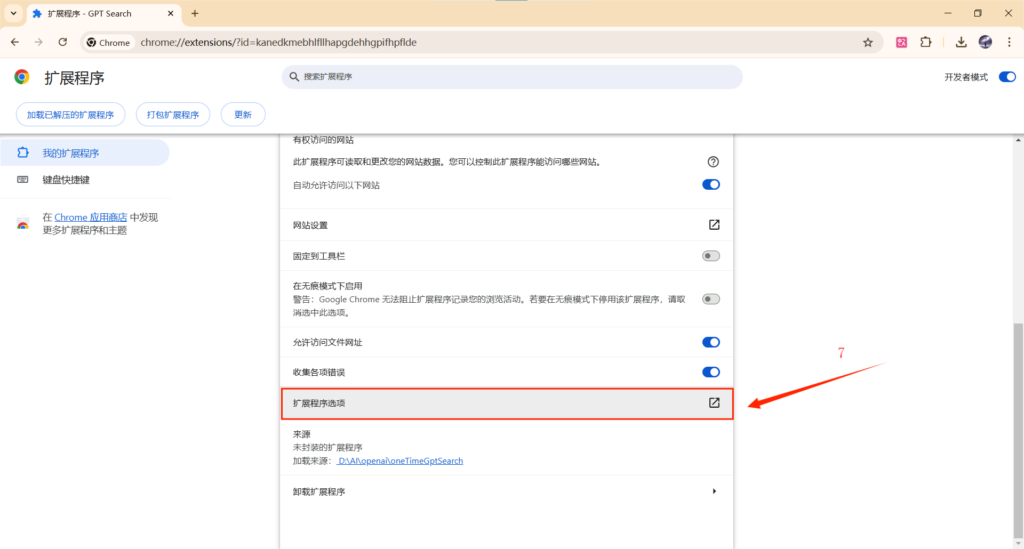
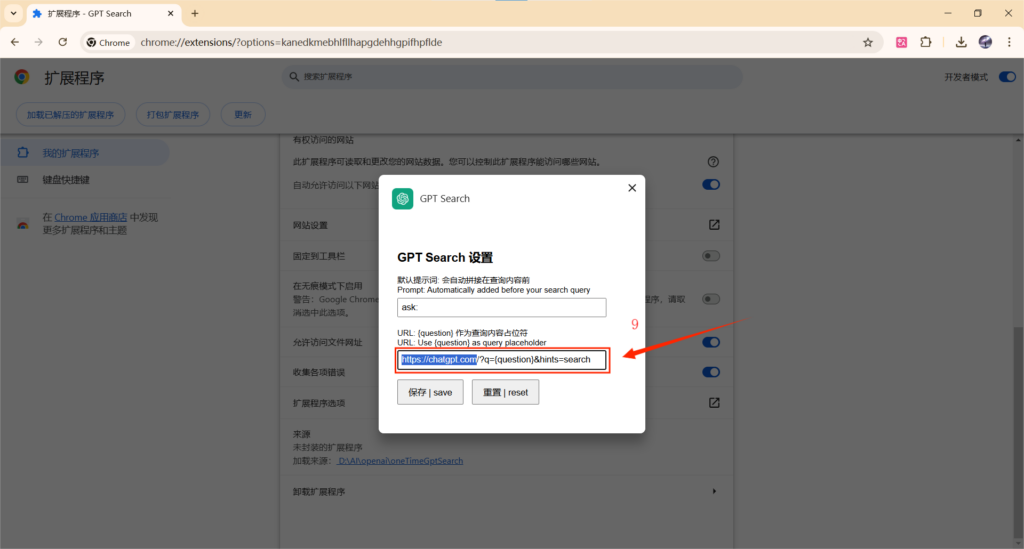
5.点击详请,找到扩展程序选项。修改第二个选项。
①若你使用ChatGPT官网,则不需要修改
②若你使用本Pandora站,将 https://chatgpt.com 修改为 https://pandora.cygstar.com
③若你使用Linux DO社区Shared Chat,将 https://chatgpt.com 修改为 https://shared.oaifree.com
*注:只修改 https://chatgpt.com 部分,其余部分 /?q={question}&hints=search 不变,以防发生调用插件错误。
6.使用:在网页任意处选择搜索内容,使用快捷键Alt+G调用GPT-Search(快捷键可自行设置)
有任何问题请在下方留言